Lost at Night is a citizen-science platform that crowd-sources the
georeferencing of astronaut photographs of Earth taken at night from
the International Space Station (ISS). Each photo arrives with rich
metadata (camera, focal length, expedition number, the spacecraft's
nadir point) but no precise ground footprint. Volunteers like you
align it to a known map, producing a dataset that scientists can use
to study artificial light at night — its growth, spectral
composition and ecological impact.
The raw image archive comes from NASA's Astronaut Photography of
Earth Database (eol.jsc.nasa.gov). Once a photo has been
georeferenced enough times by independent contributors, the resulting
polygons feed back into research — most notably the work of the
Plan-B project on global light pollution.
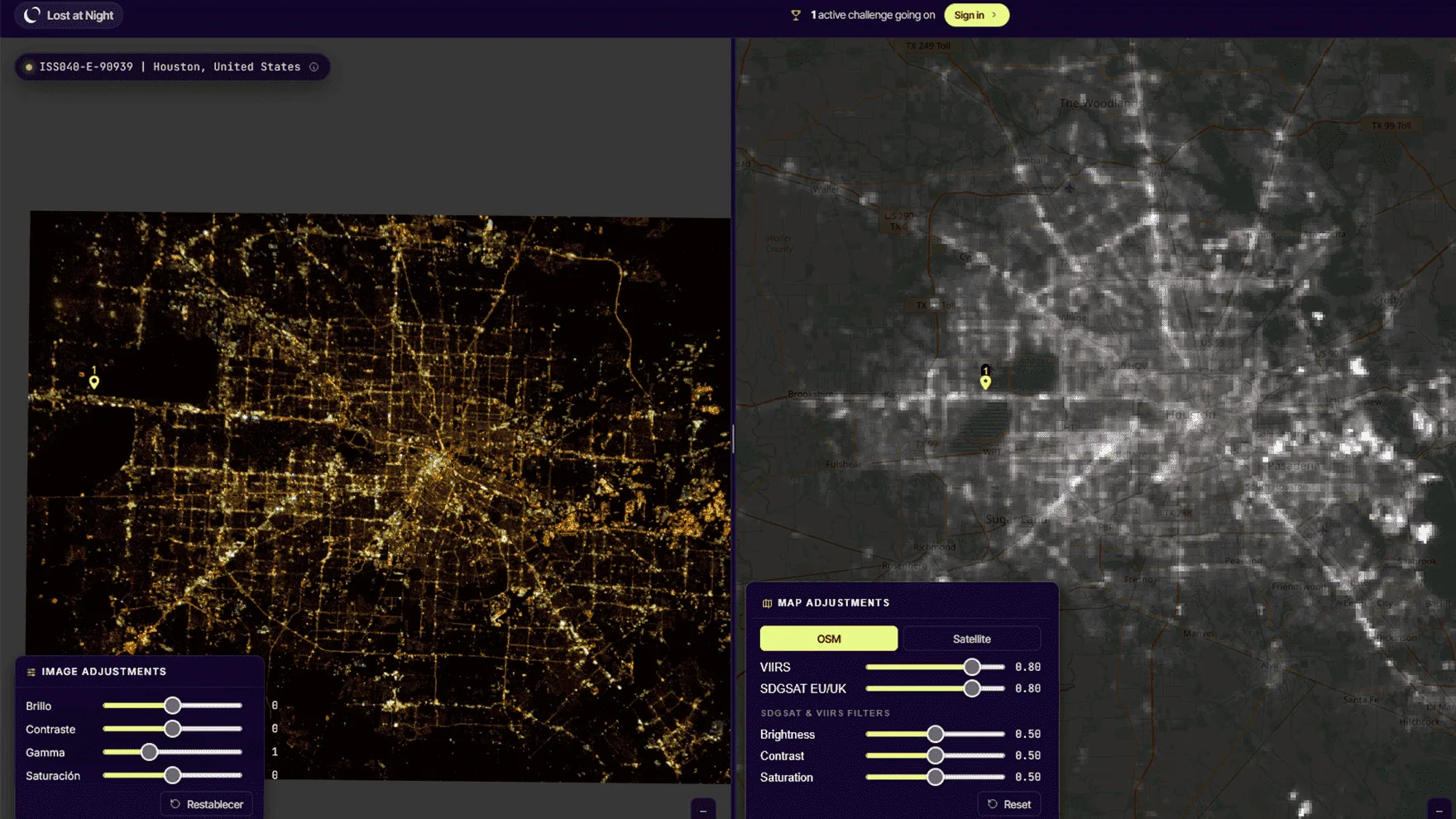
Each active layer has a slider in the bottom-left control panel.
Click
Drops the second half of a CP — only enabled after dropping on the canvas first. Otherwise you'll see the "Wrong place!" alert.
2.4 Image adjustments
The right edge of the canvas hosts three sliders for visual prep —
they don't change the submitted data, only your ability to see it.
Brightness
Linear shift. Boosts dim regions but compresses bright clusters.
Contrast
Stretches the histogram. Helps separate city lights from background sky.
Gamma
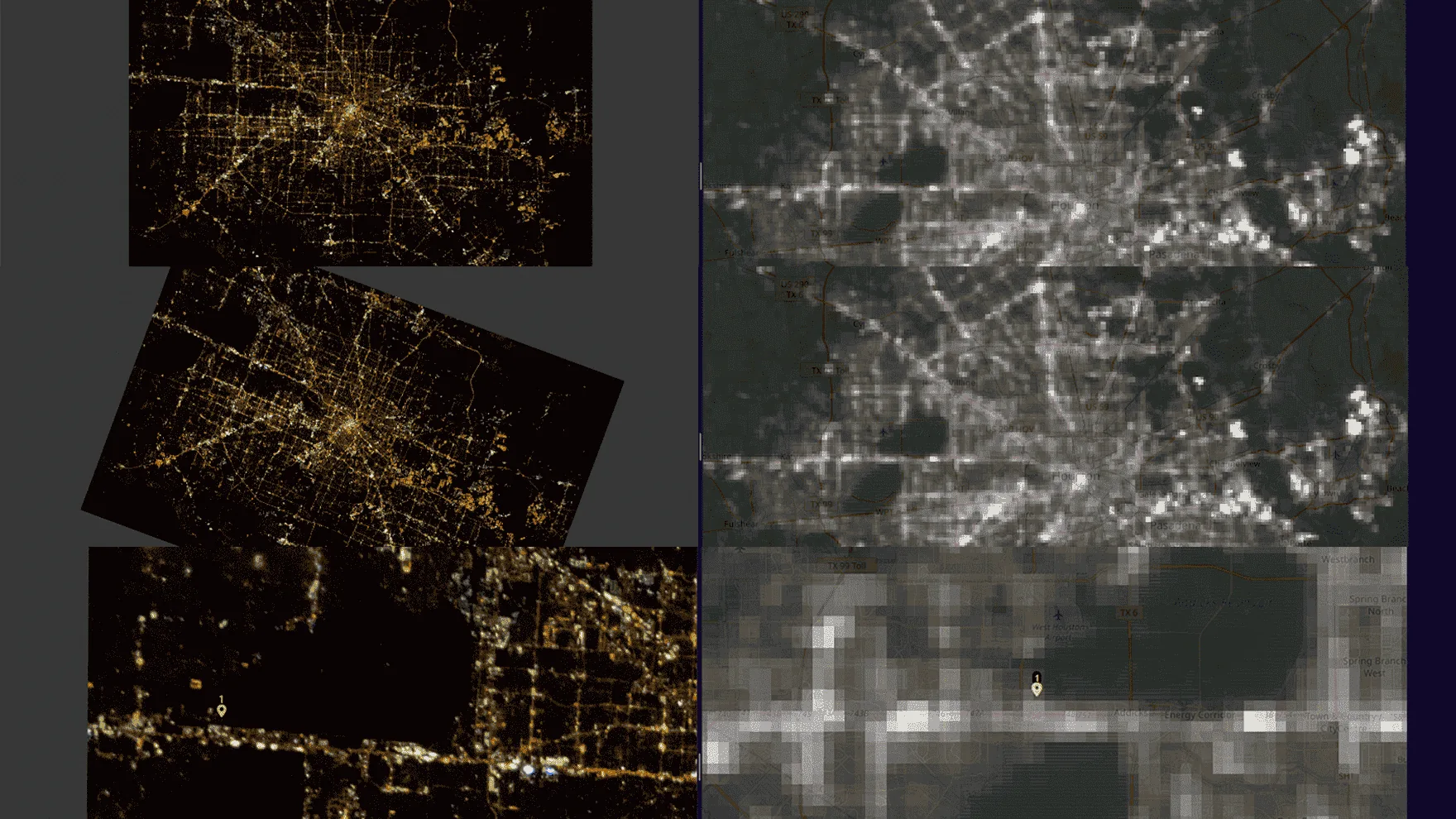
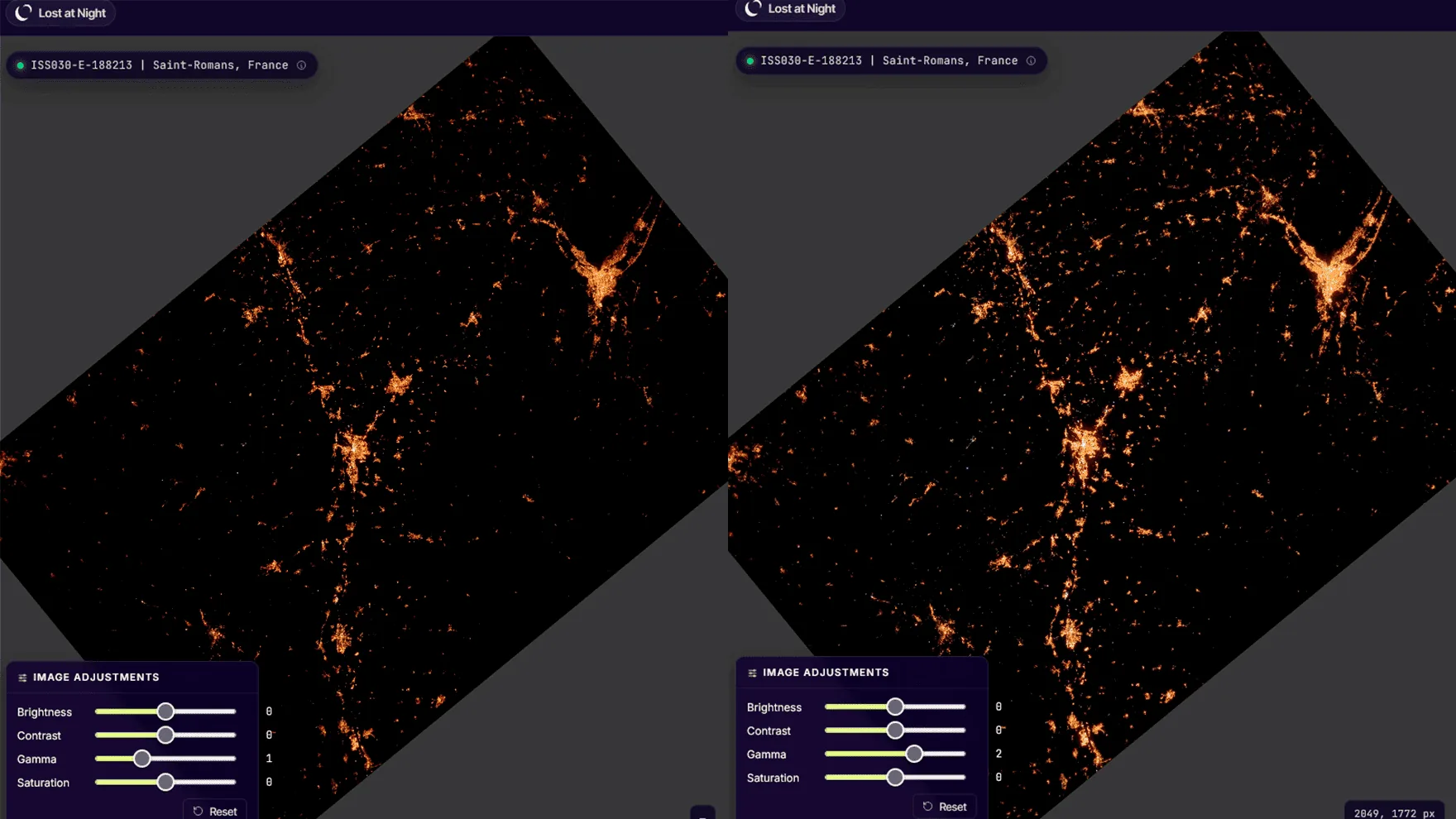
Non-linear correction. Use γ > 1 to brighten dark areas (rural roads, faint coastline) without saturating bright urban centres. γ ≈ 2.0 is a good starting point.
Tip: if the photo looks "all bright cluster, nothing around it",
raise gamma before brightness — the relative contrast is
preserved and the dim coastline you need for CPs becomes visible.
2.5 Map overlay filters
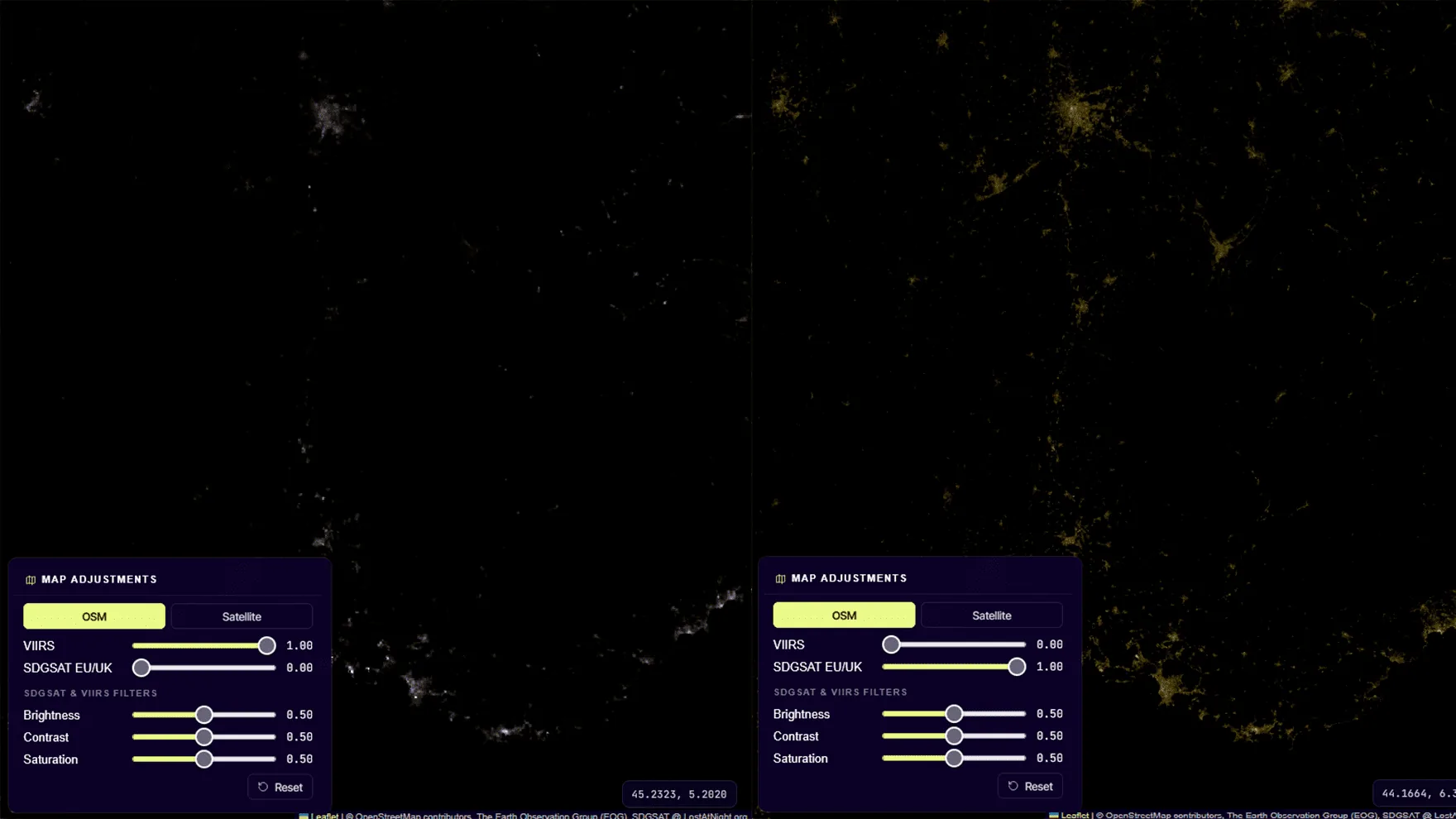
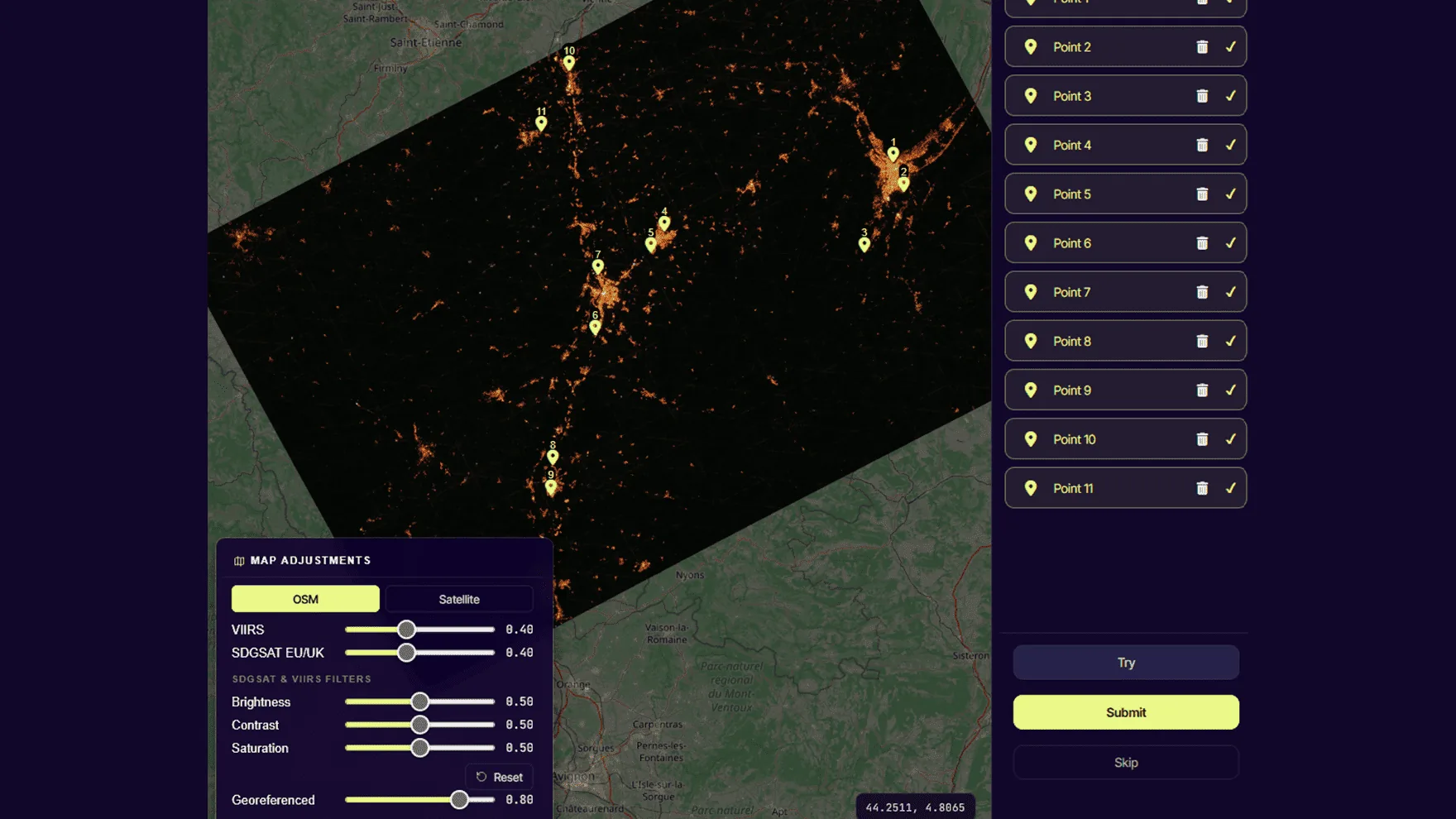
On the map, two overlays carry a 0–1 brightness slider each (the
same CSS-filter trick we apply to the canvas):
VIIRS
Global yearly composite of nighttime radiance from NASA Black Marble. Use it to pick out major lit regions when navigating.
SDGSAT EU/UK
Higher-resolution composite over Europe. Useful as ground-truth reference when working on European photos.
2.6 Control points — best practice
Minimum
3 (enforced — TPS needs ≥3 to solve).
Recommended
7–10 well distributed.
Hard ceiling
None, but past ~30 the warp degrades visibly and Try slows down (Gauss is O(n³)).
Bad point patterns to avoid:
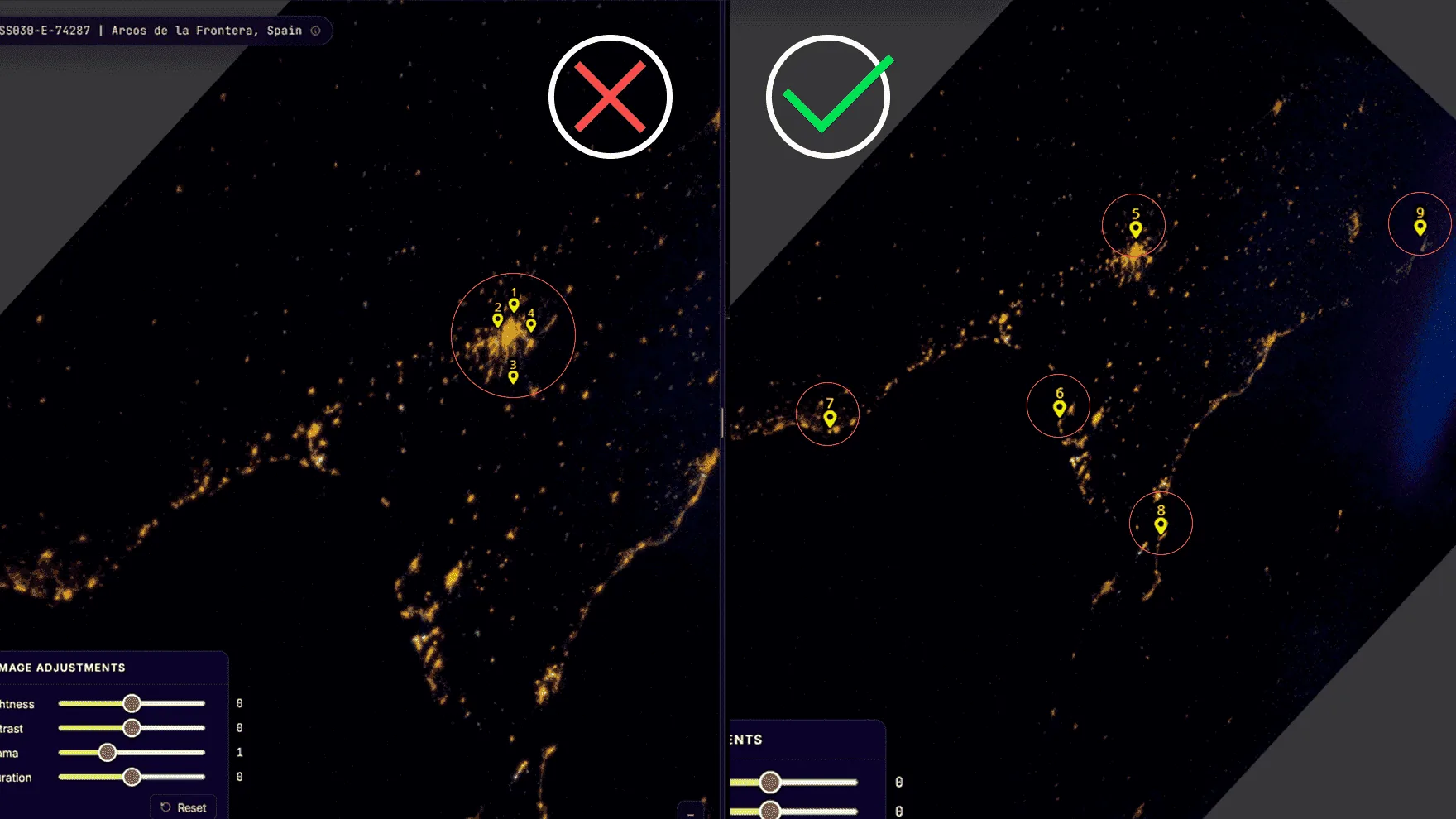
Two points within a few pixels of each other (the linear system gets singular).
All points clumped in one quadrant — extrapolation to the rest of the photo gets wild.
A point on a feature that's actually ambiguous (e.g. two similar river bends).
A point in the visible edge of the photo that no longer corresponds to ground (lens vignetting).
2.7 Try — the algorithm
The "Try" button runs the warp entirely in your browser.
No server round-trip, no GDAL — pure JavaScript:
Build a Thin Plate Spline (TPS) interpolant from your control points. Kernel U(r²) = r²·log(r²), with Tikhonov regularisation λ = 1e-6 on the diagonal to keep the system well-conditioned.
Solve the (N+3)×(N+3) linear system using Gaussian elimination with partial pivoting — once for latitude, once for longitude.
Sample a 16×16 grid of (px, py) points across the image and evaluate the TPS at each → 256 (lat, lon) pairs.
Find the bounding box of those 256 points → output canvas size in Mercator aspect ratio.
Each grid cell becomes 2 textured triangles drawn onto the canvas with an exact affine transform per triangle.
The canvas is converted to a data URL and dropped onto the Leaflet map as L.imageOverlay.
Limitation: TPS is a global interpolant — every CP affects every
pixel. Outside the convex hull of your CPs the function extrapolates,
which can produce wild distortions at the photo corners. Place at
least one CP near each edge of the lit area to constrain the warp.
2.8 Submit
When you press Submit, the control points are sent to the backend
and stored as a JSON list on the GeoAttempt row. The
server then:
Verifies you spent at least 10 seconds on the task (anti-cheat).
Updates your personal counters: total CPs, tasks done, time spent.
If you're enrolled in an active challenge that applies to this image, adds your CPs to its cached counter.
Records today's contribution in your daily heatmap.
Returns a rich payload that drives the post-submit overlay you see (deltas, totals, rank shift, streak, challenge progress).
Each Image has a replicas field (default 5) — that
many independent users must submit before the image is considered
georeferenced. After that, the image stops appearing in anyone's
pending pool.
A batch is a thematic group of images — typically a campaign
(e.g. "Asia at night, summer 2024") or an expedition. Admins create
a batch by feeding it a list of NASA image codes; a background job
downloads the originals, generates thumbnails and creates one
GeoAttempt per replica slot.
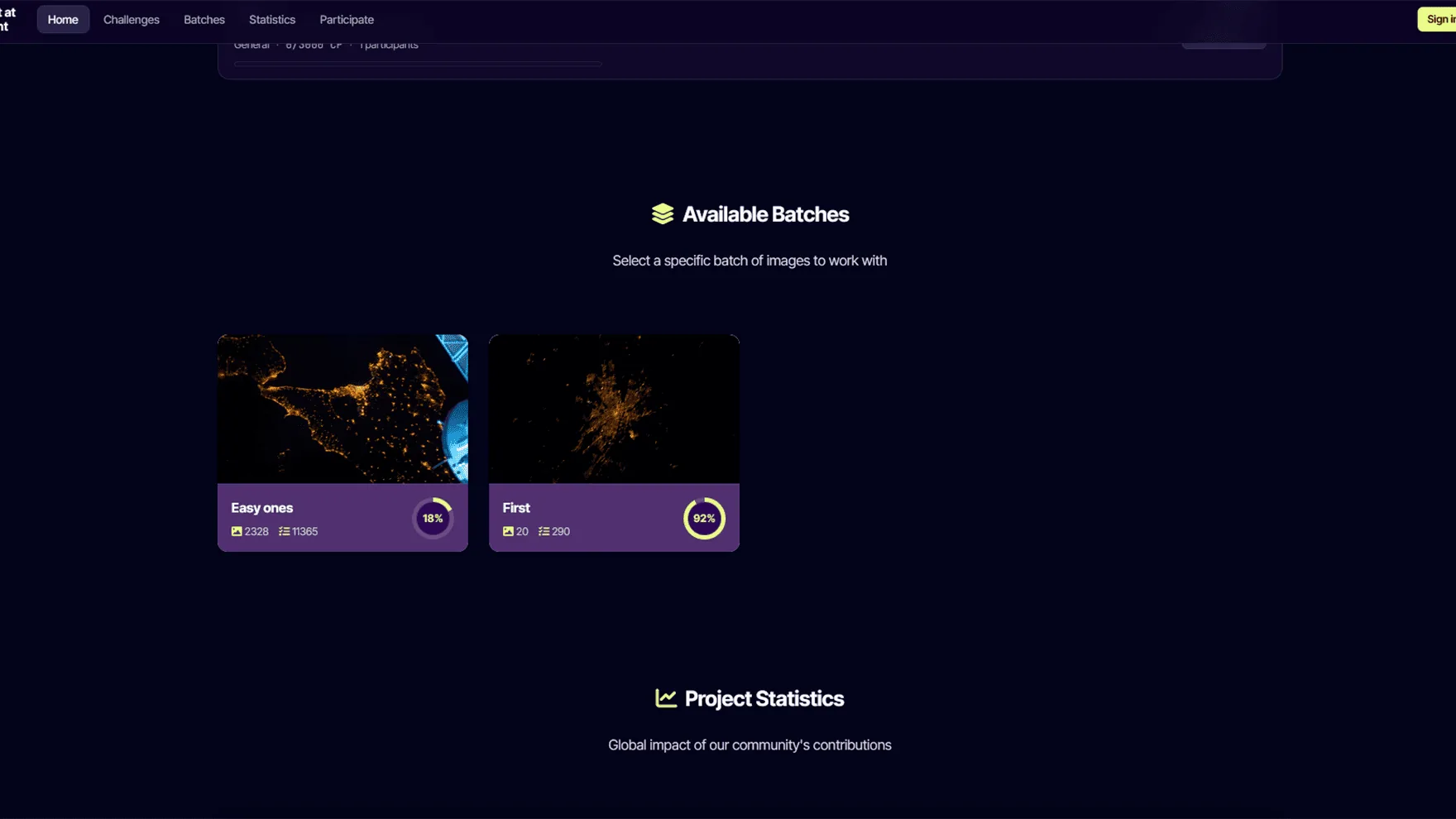
On the home page each batch shows a progress ring and a "Get a task
in this batch" button. The URL /gettask/<batch_id>
restricts the random task draw to that batch only. With no batch in
the URL (just /gettask) you get tasks from anywhere.
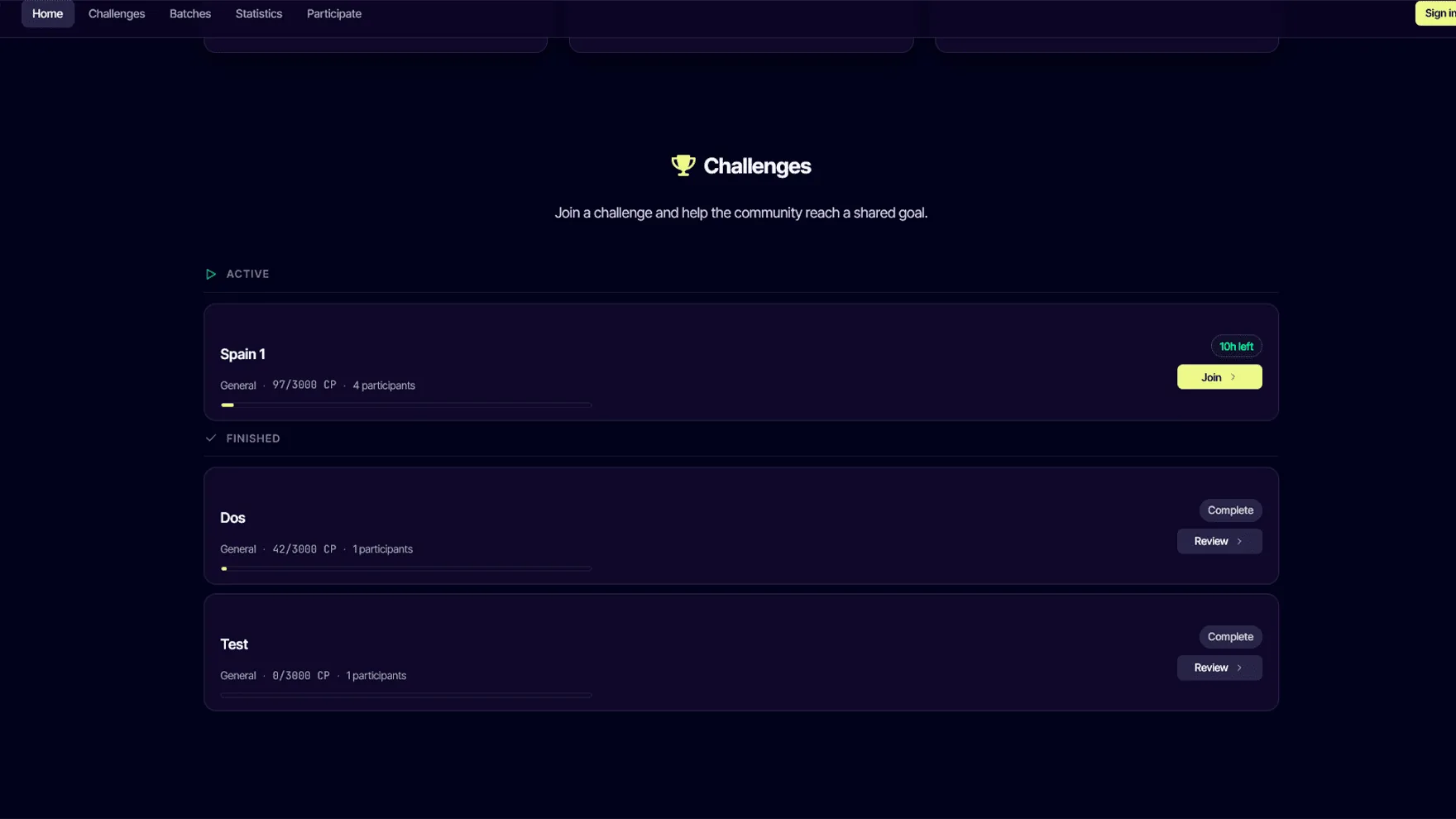
Challenges turn the platform into a shared goal. A challenge is a
time-bounded objective — bronze, silver and gold CP targets — that
a community of contributors works towards together.
Optional batch (challenge counts only CPs from that batch) and / or a spatial bounding box drawn on a Leaflet map in the admin. Both filters intersect.
Joining
Free; auto-leaves any other active enrollment so you only count for one at a time.
Leaving
Available from the challenge detail page or any challenge card. Your previously-earned CPs are kept.
Strict filter
If you're enrolled in a challenge with a bbox/batch and you try to do tasks that don't match → an explanation modal lets you go view another challenge or pick another batch.
The platform is built on trust, but a couple of cheap heuristics
keep obvious scripted abuse out:
Submission speed: a Submit faster than 10 seconds since the task was ASSIGNED is rejected with HTTP 400. The user's cheating counter increments and admins can review.
Replication: each image needs N independent contributors. A single bad-faith user cannot push false data into the final dataset.
Email verification is mandatory; throwaway accounts can't even appear in the ranking.
Honeypot on the contact form to catch spam bots.
No passive tracking, fingerprinting or anti-VPN measures — the platform respects privacy.
Short version (the privacy policy is the
legal source of truth):
Account data
Email, username, hashed password. Until you delete the account.
Profile (optional)
Country, city, biography, profile picture.
Activity
Control points, time spent, batches and challenges joined. Stays as pseudonymised data after account deletion (legal basis: GDPR Art. 89, scientific research).
Consent records
Timestamps for privacy-policy acceptance, newsletter opt-in, cookie preferences.
Server logs
30 days max, IPs truncated.
You can:
Toggle visibility in rankings (your row is anonymised but still counts towards totals).
Subscribe / unsubscribe from the newsletter at any time.
Delete your account from the profile page (irreversible — but pseudonymised contributions stay).
Lost at Night is part of the Plan-B project, funded by the
European Union under Horizon Europe (Grant Agreement 101135308).
The principal investigator is Alejandro Sánchez de Miguel
(CSIC). The platform is operated by Fundación Ibercivis.
Algorithms in plain language
TPS warp
Thin Plate Spline interpolation — minimises the bending energy of an imaginary thin metal plate forced through your control points. Bookstein 1989. Used in medical imaging and shape analysis; well-suited to small numbers of irregularly placed CPs.
Triangle textures
Once we have a TPS evaluation grid, each cell of the grid is split into two triangles and drawn with an affine transform per triangle. Affine is exact for triangles, so the warped image is piecewise-correct.
Reverse geocode
OpenStreetMap Nominatim — given a lat/lon we look up the nearest place name to display "Saint-Lambert, Canada" alongside the photo ID.
Server pipeline (legacy)
The old "Try (server)" button still exists for admin debugging — it runs gdal_translate, gdalwarp -tps and gdal2tiles.py on disk. Browser TPS replaces it for normal users.
Output
Aggregated, replication-validated control points feed into research
publications and open datasets. Future releases under
CC BY-SA; citation guidelines will be added here when
the first dataset is published.
Email + password. Email verification is mandatory before you can contribute meaningfully (your CPs count, but you don't appear in the ranking until verified).
From /user-profile/delete/. Anonymises (sets assignedUser=null) on all your GeoAttempt rows so the scientific data persists, then deletes the user row.
Export data
Coming soon. Will return a JSON of everything we hold about you (Art. 20 portability).
Vanilla JS, Leaflet (map), Fabric.js (canvas), Bootstrap 5 (legacy CSS), custom design system on top.
Workers
Image download from NASA, GDAL pipeline, scheduled cleanups (e.g. abandoned task recovery after 6 h).
Public API
/api/v1/geoattempt-pending/ — fetch a random task /api/v1/challenges/, /challenges/<id>/ — challenge state /api/v1/challenges/<id>/leaderboard/?page=N — paginated leaderboard /api/v1/ranking/?ordering=cp&page=N — global ranking
Issues / PRs
Welcome at the GitHub repo. For sensitive reports email ethics@ibercivis.es.
Before pressing Submit you can edit anything: drag a CP to a new
position, click the trash icon on a row in the point list to remove
it, or use the Skip button to release the task back to the pool
without submitting. After Submit the task moves to the next replica
slot — the system relies on independent contributors agreeing on
the right answer, so a one-off mistake won't pollute the dataset.
Do my contributions count if I'm not signed in?
Yes — the image still gets your control points and they advance the
replica counter. They just don't accrue to a personal stats page
(because there's no account to attach them to) and they don't count
for any challenge.
Why does an image stop appearing in my pool?
Two reasons: (a) the image already received replicas
DONE submissions from other users — its job is finished; or (b) you
personally already submitted a DONE for that image (we never serve
the same image twice to the same user).
What happens to my data if I delete my account?
Your account row, profile and authentication credentials are
deleted. Your GeoAttempt rows survive but with
assignedUser = NULL — the scientific contribution stays
attributed to "anonymous", which is allowed under GDPR Art. 89
(research) once the data is no longer reasonably attributable to
you. The same applies to your daily-contribution counters.
Why am I seeing "Filtering for [Challenge name]" warnings?
You're enrolled in a challenge that restricts the pool of available
images (by batch and / or by a geographic region the admin drew on
a map). If a batch URL doesn't intersect with that constraint, you
get a 0-results modal that points you to your challenge page or to
"Pick another batch". You can leave the challenge from its detail
page if you want different tasks.
The image looks impossible — pure black except a city, can I skip?
Yes. Skip pushes it back to PENDING for someone else (the
skipped counter increments for analytics). Don't force
a guess; quality > quantity. Try raising gamma first though —
sometimes the coastline is there, just two stops underexposed.
Can I run the tutorial again?
Yes — click the graduation cap icon at the top-right of the task
page and the 7-step Driver.js tour replays.
The task interface is laid out for desktop / tablet — control-point
accuracy benefits from a precise pointer. The map and canvas do
accept touch on phones, but we don't currently optimise the layout
below ~700 px wide. Mobile-first design is on the backlog.
Browser support?
Modern Chrome, Firefox and Safari (≥ 15.4 for our OKLCH colour
palette). Older browsers will degrade gracefully — the design
system uses fallback colours where possible.
Connectivity drops mid-task — do I lose progress?
Your control points stay in the page (in browser memory) so you can
finish locally. Once you reconnect, Submit will reach the backend.
If you close the tab without submitting, the task stays in
ASSIGNED status until a scheduled cleanup releases it
back to PENDING after 6 hours of inactivity.
Your cookie preferences
We use strictly-necessary cookies to keep the site working. With your consent we may also store functional preferences (language, banner state) and, in the future, anonymous analytics. Read the cookies policy.
Strictly necessary
Required for sign-in, security and basic functionality. Always on.
Always on
Functional
Remembers your language and your cookie banner choice.
Analytics
Aggregated, anonymous statistics. Currently disabled.
 Lost at